Product engineering
AI video dubbing: when the translated line won't fit
If your Spanish dub needs 6.30 seconds and the video gives it 4.14, speeding up the whole soundtrack is a pretty rough fix. We'd work on that line first. Let's use the caption timings from our Voz AI demo to see what that means for a dubbing tool.
Start with something you can actually hear
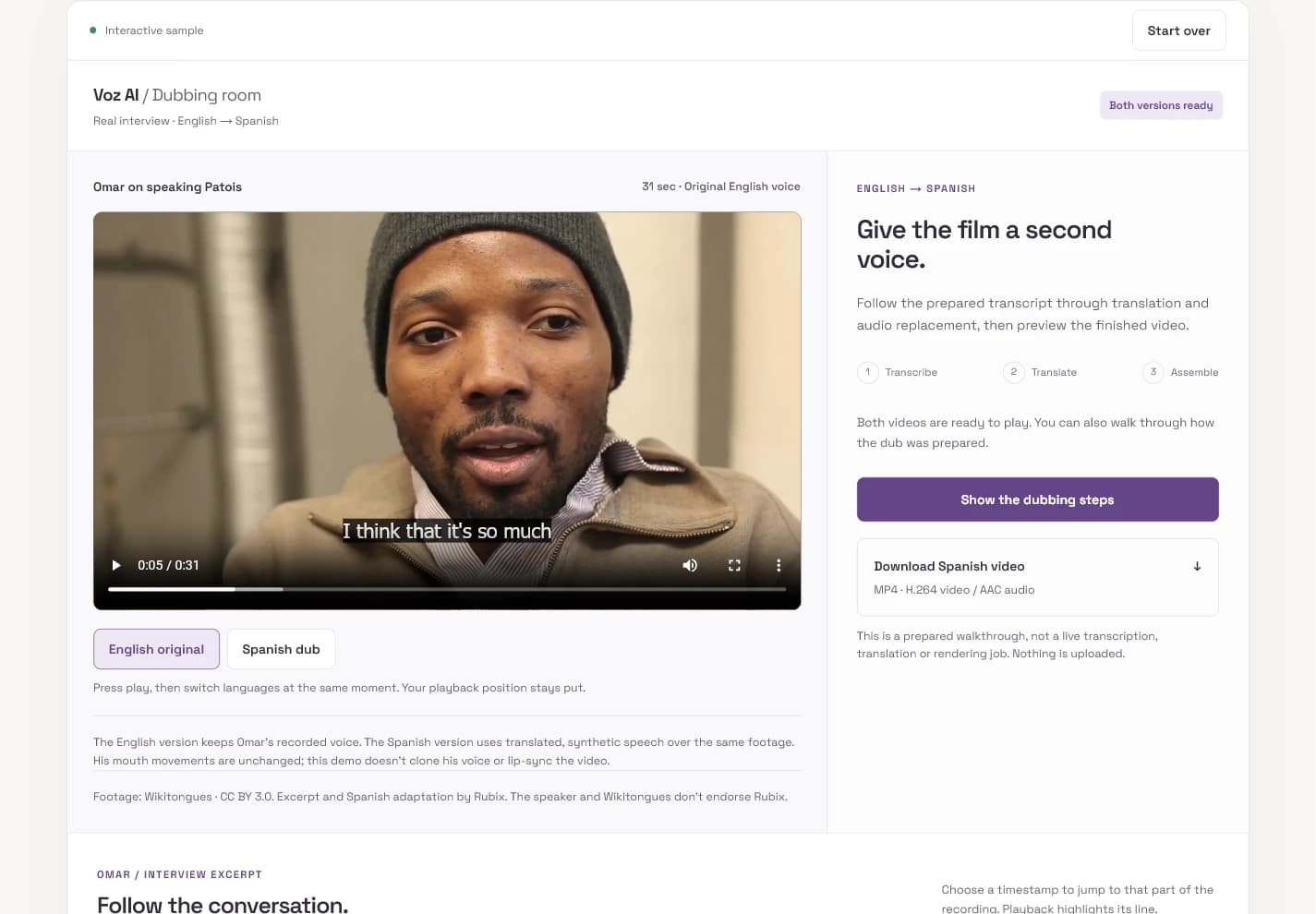
Open our Voz AI demo and switch between the English original and Spanish dub at the same playback position. It's a real interview excerpt with a prepared synthetic Spanish soundtrack. You can hear the difference, follow the transcript and download the Spanish video. Nothing gets uploaded or generated while you're using it.
The team now at Rubix worked on Voz AI's English-to-Spanish video dubbing platform before Rubix Labs. When a translated line overruns its cue, an editor needs to know how much room is actually available. We can work that out using the demo's caption timings, then try a fictional audio duration against them.
The line is 2.16 seconds too long
Our demo's first English caption starts at 0.11 seconds and ends at 4.25. That gives us a 4.14-second cue. The next caption starts at 5.67, leaving a 1.42-second gap between cues. These are caption boundaries; they don't prove that the recording is silent throughout that gap.
For this synthetic example, suppose speech synthesis returns a 6.30-second Spanish line. Starting it at 0.11 puts its end at 6.41. Even if an editor allowed it to use the entire caption gap, it would run 0.74 seconds into the next cue. We checked the arithmetic against the demo's published timing data. We haven't generated or listening-tested that fictional 6.30-second line.
| Timing decision | Result in this example |
|---|---|
| Keep the original cue | 6.30 − 4.14 = 2.16 seconds over budget |
| Use the whole gap before the next cue | 6.41 − 5.67 = 0.74 seconds of overlap |
| Force the audio into 4.14 seconds | 6.30 ÷ 4.14 ≈ 1.52× tempo; an arithmetic ratio, not an approved speaking rate |
Give the translation another pass
We'd send the source phrase, its surrounding conversation and the time budget back to translation. The request would be for a shorter spoken version that keeps the meaning. Trimming an explanation is one thing; dropping a negation, a name or a number just to hit a duration is a bad trade.
Then synthesize that revision and measure the actual audio. Character counts can help flag a long draft, but they aren't a reliable duration check. The voice still has to speak the words, take breaths and finish the thought. A bilingual reviewer should hear the revised line in context before accepting it.
There's room for an editor to borrow a little time from a nearby pause. First listen to what's there and check the picture: a new speaker or a cut can make that time unavailable. If neither a shorter translation nor an approved timing adjustment works, leave the line for review. Don't quietly chop off the end so the render passes.
Keep each line attached to the video clock
Store each segment's source start and end alongside its transcript, approved translation and generated audio duration. Place the accepted audio at its intended start on the video timeline. If you simply join generated clips one after another, a long first line shifts every line that follows it. Independent placement keeps one revision from dragging the rest of the conversation with it.
FFmpeg provides the useful mechanics here: atempo changes audio tempo, and adelay can place audio later by adding silence before it. With stereo audio, apply the intended delay to both channels. Those controls can implement an editor's decision; they can't tell you whether a sentence sounds rushed. Our 1.52× calculation would send us back to the translation before trying to squeeze that much speech into the cue.
A shorter line can leave space before the next one. That's fine. Removing every pause can flatten the way someone tells a story. If the source includes music or room sound, plan what happens to those tracks too; replacing a mixed soundtrack can remove more than the original voice.
Watch the exported video, not just the preview
The downloadable file needs its own review. We'd compare it with the accepted segment timings, check the first and last words around each boundary, and listen through speaker changes. Then seek into the middle and switch caption tracks. A successful render doesn't tell you whether the delivered file has the right language, complete speech or readable captions.
Keep subtitle cues tied to the final spoken version. WebVTT carries timed text; moving a cue doesn't move the audio. Likewise, getting the dub into the right time window doesn't make the speaker's mouth match the new words. Our demo replaces audio and leaves the picture unchanged. It doesn't clone the speaker's voice or perform lip sync.
For a product like this, Rubix would put source playback, the translated line and a short audio preview next to each other in the review screen. An editor should be able to fix one awkward sentence without rebuilding the entire job. Try the prepared demo, then bring us a clip you're allowed to use and the languages you need. We can help scope the intake, translation review and video delivery around that material.