The challenge
What needed to be easier.
Typing driver license details by hand slowed users down and created avoidable errors in a document-heavy insurance workflow.
Applied AI
We built an in-house OCR workflow that extracts driver license data, reduces manual entry, and gives operations teams a review step.
Updated 2026-10-10
The challenge
Typing driver license details by hand slowed users down and created avoidable errors in a document-heavy insurance workflow.
Our approach
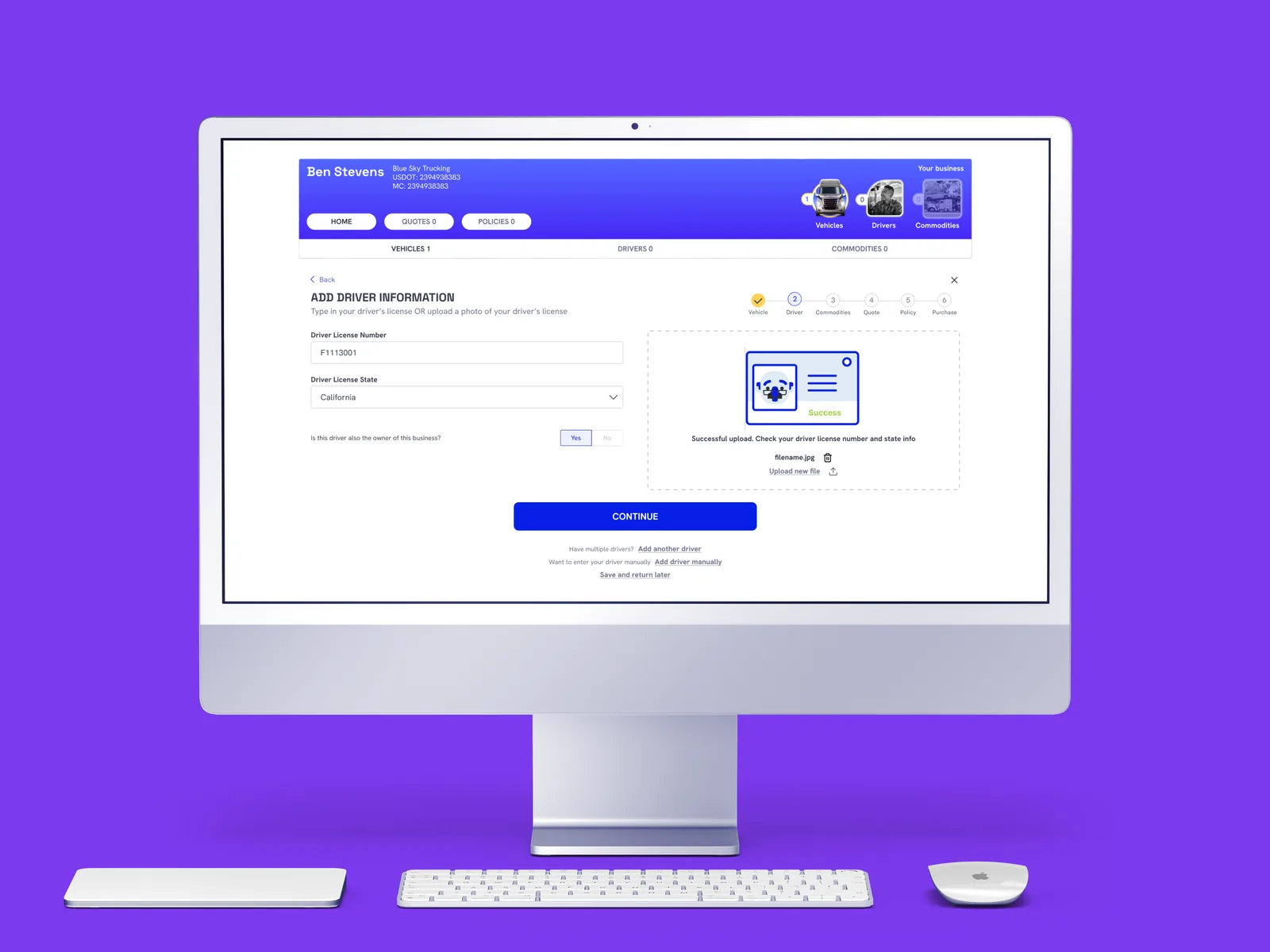
We built an OCR service and review flow that turns uploaded licenses into structured data the rest of the product can use.
Inside the experience
A visual guide to the published product scope.
A driver license enters the document flow.
OCR turns the image into structured fields.
Operations can validate the extracted details.
Reviewed data continues into the product workflow.
Conceptual illustration · Based on public capabilities, not a private architecture diagram.
Rubix built the in-house OCR service and review flow for driver-license data, including image intake, field extraction, structured output and workflow integration.
Operations teams can review extracted fields instead of starting every record with manual transcription.
Image quality, missing fields and ambiguous characters are important failure cases for an extraction workflow. Automation should preserve a correction path. Evaluation for a new deployment should separate field correctness from whole-document acceptance and include difficult inputs, rather than report one undifferentiated accuracy number.
For a new deployment, define expected fields, error handling and review rules before selecting a model. Our guide includes a synthetic evaluation matrix; it is a planning resource, not a claim of measured client results.
Evaluation guide and test matrix →Product capabilities
We only include capabilities that are already public. We do not share client data, private architecture, commercial terms, or internal performance metrics.
Related case study
Our team connected trucking insurance quotes, Salesforce and Zoho workflows, document processing and AWS services for LuckyTruck.
Rubix Labs
A few finishing touches.