Website operations
Contact form email: put your visitor in Reply-To
If your contact form copies the visitor's email into From, we'd fix that before tweaking the subject line to sound less spammy. Your server doesn't get permission to send as someone just because they filled in a form. Use a sender your business controls, then put the visitor's address in Reply-To so your team can answer them.
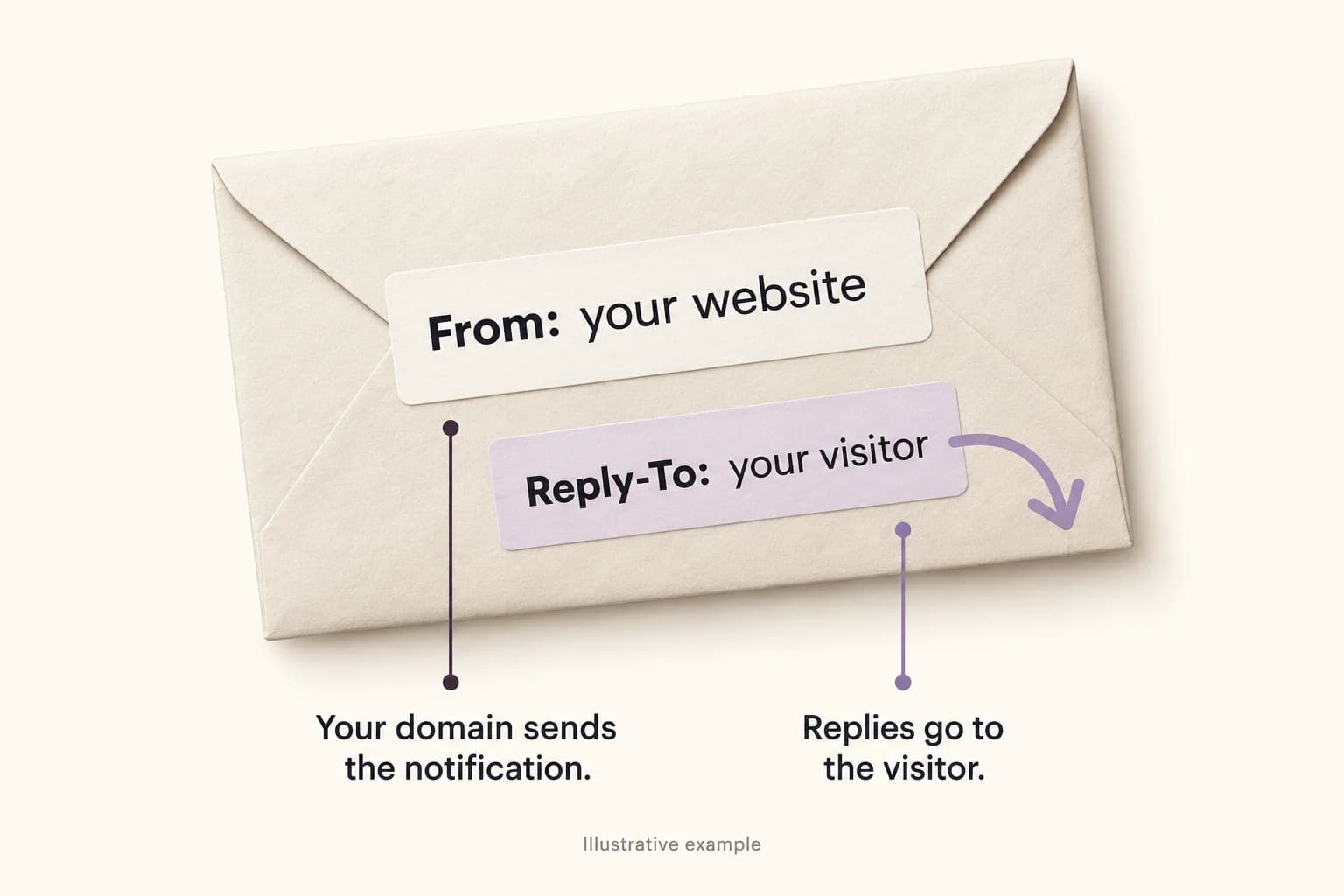
The notification comes from your website
Here's a synthetic enquiry: a visitor enters visitor@example.net on a website operated at example.com. The site sends a notification to the business inbox. These are example domains and addresses, not a client message or a live delivery test.
Putting the visitor in From seems handy: their address shows up in the inbox and the team can hit Reply. But example.net hasn't authorized this website to send for it. Reply-To gives us the useful part without borrowing the visitor's identity. Here's how we'd arrange that notification.
| Message field | Example value | What it does |
|---|---|---|
| From | Website enquiries <forms@example.com> | Identifies the website notification using a sender you control. |
| To | team@example.com | Sends the notification to the business's configured inbox. |
| Reply-To | visitor@example.net | Suggests the visitor as the recipient when staff reply. |
| Body | The visitor's enquiry and contact details | Keeps the actual request readable without pretending the visitor sent this email. |
SPF can pass for the wrong domain
You open the headers, see SPF pass, and wonder why there's still an authentication problem. Look at which domain passed. SPF checks the sending server against the envelope MAIL FROM domain. That address handles delivery failures and usually appears as Return-Path in a received message. It can differ from the From address people see. DKIM checks a signature whose d= value names the signing domain.
DMARC connects authentication to the visible From domain. At least one passing mechanism, SPF or DKIM, must also align with that domain. Reply-To doesn't supply that alignment. An email authenticated for your provider's domain hasn't automatically authenticated the visitor's domain.
Suppose the provider gets SPF pass for mail.example.org and DKIM pass with d=example.com. If From says visitor@example.net, neither domain aligns. Now have the application create a new notification from forms@example.com and the provider sign it with d=example.com. With that signature passing, DKIM aligns exactly. The unrelated SPF identity doesn't prevent a DMARC pass.
For these made-up messages, assume a valid DMARC policy and the authentication results shown. We haven't sent them. The exact matches below satisfy strict alignment. Relaxed alignment can also accept domains within the same organizational domain; check the actual policy before relying on that.
| Visible From domain | Assumed authentication result | DMARC outcome in this example |
|---|---|---|
| example.net (visitor) | SPF pass: mail.example.org; DKIM pass: example.com | Fail: neither authenticated domain aligns with example.net. |
| example.com (website) | SPF pass: mail.example.org; DKIM pass: example.com | Pass through aligned DKIM. |
| example.com (website), different Reply-To | The same passing SPF and DKIM results | Still passes through DKIM; Reply-To isn't the alignment identity. |
| example.com (website) | DKIM fails; SPF passes for example.com | Pass through aligned SPF. |
Verify the sender you actually use
Your provider will give you domain-verification and DKIM records to publish. Once it confirms them, make sure the application uses the sender you verified. With Amazon SES, Easy DKIM handles signing, while a custom MAIL FROM domain can support SPF alignment. Before changing DNS or tightening DMARC, account for the other legitimate systems sending your business email. Fixing the website shouldn't break the invoices.
Application email was part of Rubix Labs' LuckyTruck AWS work, including Amazon SES. The linked case study describes that scope; it doesn't document the client's sender configuration or inbox-placement results. The examples in this article are ours for teaching.
We'd keep From and the destination inbox in server-controlled configuration. A visitor can supply a reply address and a message, but not a CC list or a different sending identity. On the server, validate a single reply mailbox and reject newline characters. Pass structured fields to the mail library instead of joining form text into raw headers. Credentials belong on the server too.
A reply address still belongs to untrusted form input
Anyone can type someone else's address into a form. Valid syntax doesn't prove mailbox ownership, and your website passing DMARC says nothing about who submitted the enquiry. Staff still need the usual identity checks before sharing account details or resetting access.
That also matters if you send automatic acknowledgements. A form that emails any supplied address can become a way to send unwanted mail to other people. We'd keep the acknowledgement brief, leave out arbitrary submitted links and message text, and apply server-side rate limits and abuse controls. If all you need is a notification to your own team, you can leave the visitor acknowledgement out.
Check the received message, then try Reply
Once the sender is configured, send a test enquiry to an inbox you control and open the received message's original headers. Compare From, Reply-To, Return-Path and the DKIM signing domain. Read the authentication results added by the receiving service; a line supplied by an untrusted sender isn't proof of anything. A provider accepting the send request only establishes that first step. For example, SES returns a MessageId when it accepts the message, not when a person reads it.
An authentication pass doesn't guarantee inbox placement. Google's sender guidance covers other factors, including DNS, transport security and spam complaints. Check your provider's bounce and complaint reporting too, so a failed delivery has somewhere useful to go.
Then hit Reply without sending it yet. The recipient should be the visitor, with the original enquiry easy to find below. We'd include that check in a Rubix website handover. If Reply opens a draft addressed to your own forms inbox, you've authenticated the notification but left the person answering it with another problem to fix.